
Comparison
Which car identifier app should you use?
Which car identifier app should you use? An honest comparison of ScanRacer, Google Lens, Bolid, and What’s This Car — strengths, limits, and use cases.
Updated in 2026
What’s the best car identifier app?
To identify a car you spotted in the street from a photo, use a dedicated car identifier app: ScanRacer if you want the model, the generation, and real photos to double-check, Bolid if you mainly want technical data from the plate, Google Lens if you refuse to install anything.
Full transparency: ScanRacer is us. This comparison stays honest about what each tool does better than the others, including when it isn’t us.
This page is part of our complete guide to recognizing a car, covering every method.
| App | Free | Exact model | Plate lookup | Best for |
|---|---|---|---|---|
| ScanRacer | Yes | Yes + generation | No | Car spotting, precise model |
| Google Lens | Yes | Brand mostly | No | Occasional use |
| Bolid | Limited free | Yes | Yes | Technical specs |
| What’s This Car | Limited free | Yes | No | Broad model coverage |
ScanRacer: photo + community verification
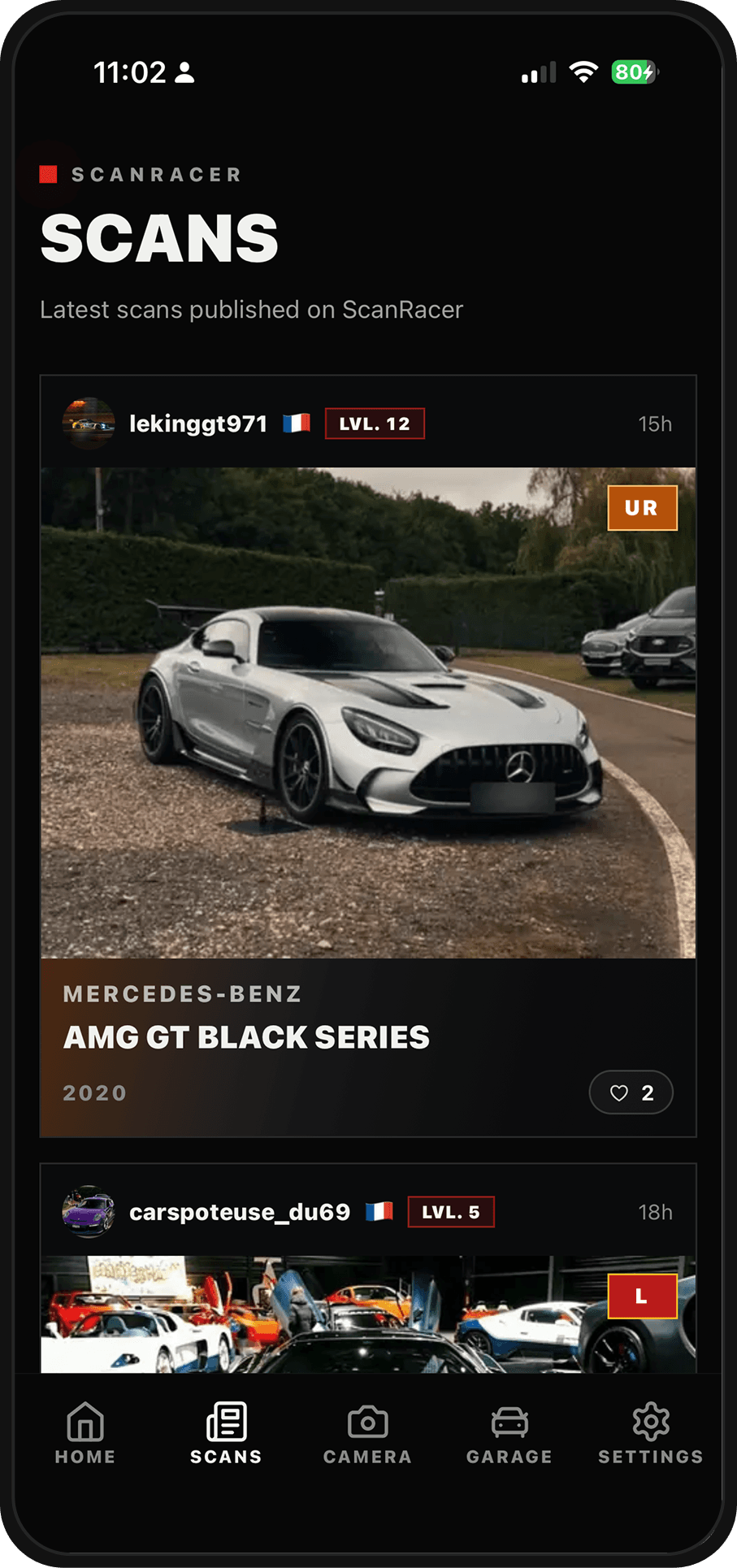
You photograph a car, and the AI suggests an identification from the visible cues: silhouette, front end, light signature, proportions. So far, nothing unique. The difference comes after: every suggestion can be checked against the community library, with real photos of the model from several angles. When the AI hesitates between two Porsche 911 generations (it happens a lot — we explain why in a dedicated guide), you can settle it yourself by comparing.
- Strengths: free, car-specific, real photo library, per-model recognition guides, a community that corrects mistakes.
- Limits: no plate lookup, and on a rare or heavily modified model the AI sometimes suggests a close cousin instead of the right car.
Google Lens: the zero-install reflex
Lens is already on your phone and it’s formidable at placing a brand: the logo, grille, and overall shape are almost always enough. Where it disappoints is precision. It will say “BMW 3 Series” but rarely “facelifted G20”; it mixes up generations and knows nothing about trims or limited editions. For occasional use it does the job. For an enthusiast, it stops exactly where things get interesting.
Bolid: technical data from a photo or a plate
Bolid (iOS and Android) approaches the problem through data: over 50,000 vehicles on file with technical specs and performance figures, accessible from a photo or a license plate. If your question is “what’s this car’s 0-100 time?” rather than “which exact model is this?”, it’s a solid pick. Plate lookup, which ScanRacer doesn’t do, is its real differentiator.
What’s This Car and the other photo identifiers
What’s This Car claims coverage of 227+ brands and 3,200+ models: you take a photo, and the app returns the year, model, and specs. On the Play Store, dozens of “Car Identifier” apps promise the same thing, with very uneven results and often a subscription hidden behind the results screen. Before paying, test on three cars you already know: it’s the fastest way to gauge an identifier’s real accuracy.
How to choose for your use case
- You’re into car spotting and want the exact model, the generation, and a log of your spots: ScanRacer.
- You want the technical specs of a specific vehicle, plate in hand: Bolid.
- You come across an interesting car once a month and just want the brand: Google Lens is enough.
- You’re hesitating between paid identifiers: test them on cars you already know first.
And if you want to understand why an AI gets it wrong (and how to frame your photo to help it), we covered the method in our dedicated guides.
Frequently asked questions
Is there a Shazam for cars?
Yes. Several apps identify a car from a single photo, the way Shazam does for music. ScanRacer, Bolid, and What’s This Car analyze the silhouette, grille, and lights to suggest a make and model within seconds.
Which free app can identify a car?
ScanRacer and Google Lens are free to use. Google Lens is a generalist tool and often stops at the brand, while ScanRacer is car-specific: it suggests a model and generation, with real community photos to verify the result.
How reliable is photo-based car recognition?
With a sharp three-quarter front shot, good apps get the make and model right most of the time. Errors cluster around close generations, trim levels, and modified cars. No AI is 100% accurate, which is why human verification matters.